
Serial Number Lost
Which serial number sits in which branch, which battery type is running low — read it off the screen, not the ledger.
Which ear the device went to, under which serial number, when the warranty ends and how much is still owed — all on one screen.
Which serial number sits in which branch, which battery type is running low — read it off the screen, not the ledger.
No spreadsheet needed to find an overdue instalment; the remaining balance sits right in the patient file.
Was the device still under warranty, how many days has it been at the manufacturer — recorded together with its handover form.
They all work off the same patient file; a record you create in one module appears in the others immediately.
Manage patient details, audiograms and medical history in one place.
Plan follow-up appointments and keep your reminder SMS templates ready.
Track hearing aid inventory and sales down to the serial number.
Service records, warranty status and turnaround times in one flow.
Keep cash and instalment sales together with the payment plan, receipt and remaining balance.
See sales and conversion reports by branch, brand and audiologist.
The patient file starts with an audiogram, continues with a device serial number and closes with the service history.
Open a sample file without signing in. Which ear the device went to, under which serial number, and how much is still owed all sit on the same screen.
The average switch takes a week. We migrate your existing records while you get back to your patients.
Excel, an old program or a paper ledger — your existing patient and stock records are imported.
Adjust permissions per branch for audiologist, sales and technical service roles.
Appointments, measurements, sales and service records all collect in the same patient file.
Which branch, which brand, which campaign is working — see it without waiting for month end.
Patient file, stock, sales, collections, staff and technical service. Instead of typing the same patient into six places, enter it once and let the other modules read it.
Manage patient details, audiograms, device records and past transactions from a single record.
When patient data is kept separately from sales, stock and payment systems, reaching history and tracking processes gets harder.
All patient information merges into one file together with its related sales, device and service records. You see the whole history on one screen.
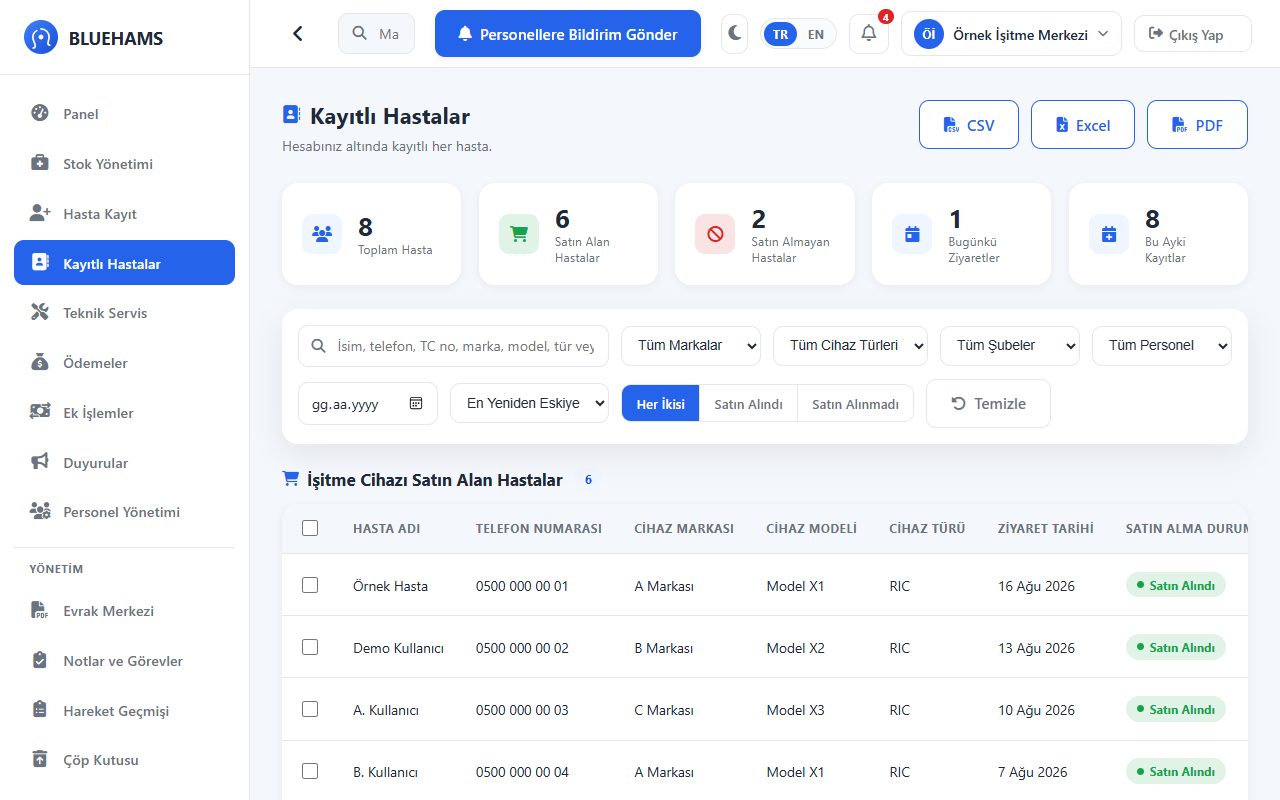
Track products, brands, models, serial numbers and stock movements from one center.
Separate stock apps require manual reconciliation between sales and stock movements; disconnected data creates re-entry and control overhead.
When a sale happens the related stock movement advances linked inside the system; the serial number stays tied to the patient who bought it.
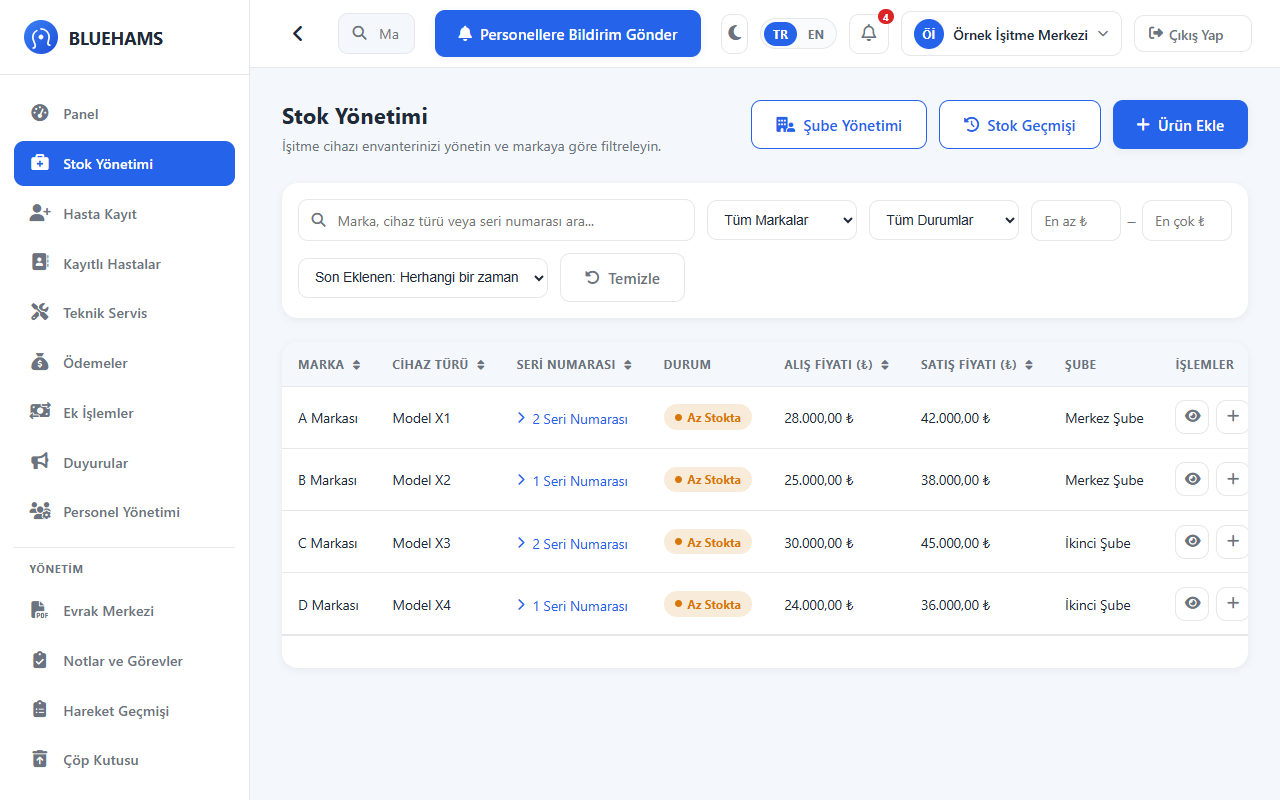
Track payment plans, past collections and remaining balances together with the related sale and patient record.
Tracking payments in Excel or separate tools increases manual control effort and makes it hard to see who owes how much.
Payment plans and collections advance linked to the related sale record; remaining balance and due dates are calculated automatically.
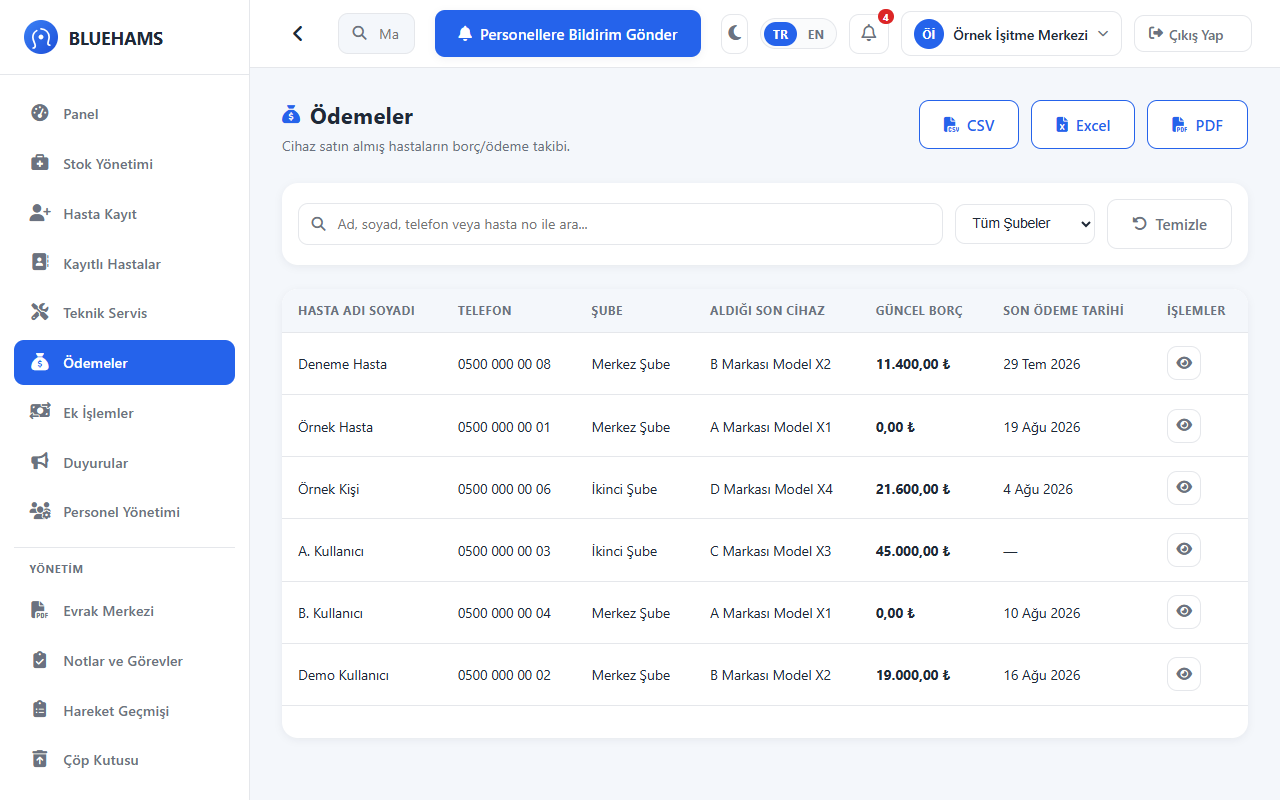
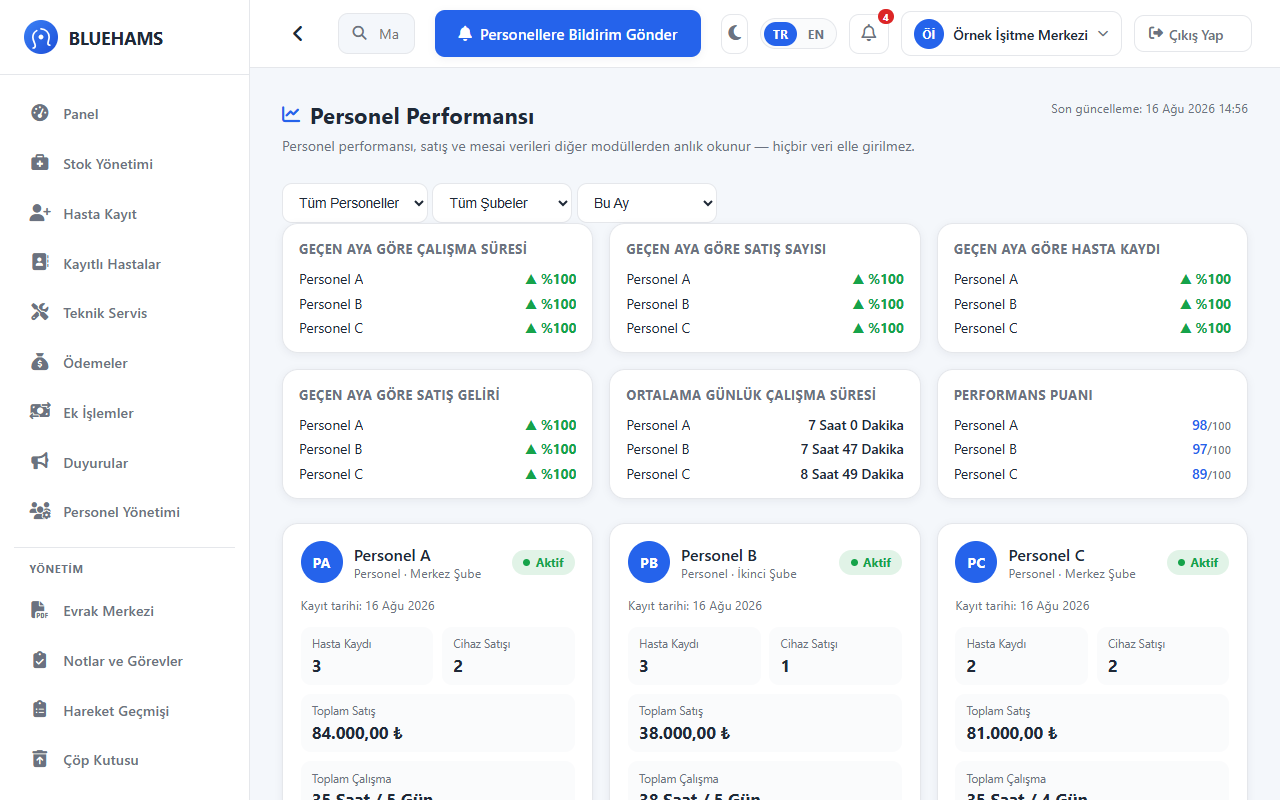
Track your staff's working hours, check-in/check-out records and performance from a single center.
When the attendance sheet lives in one place and sales performance in another, working out who sold which device takes manual reconciliation at month end.
Manage attendance tracking and staff performance linked together within the same management panel infrastructure.
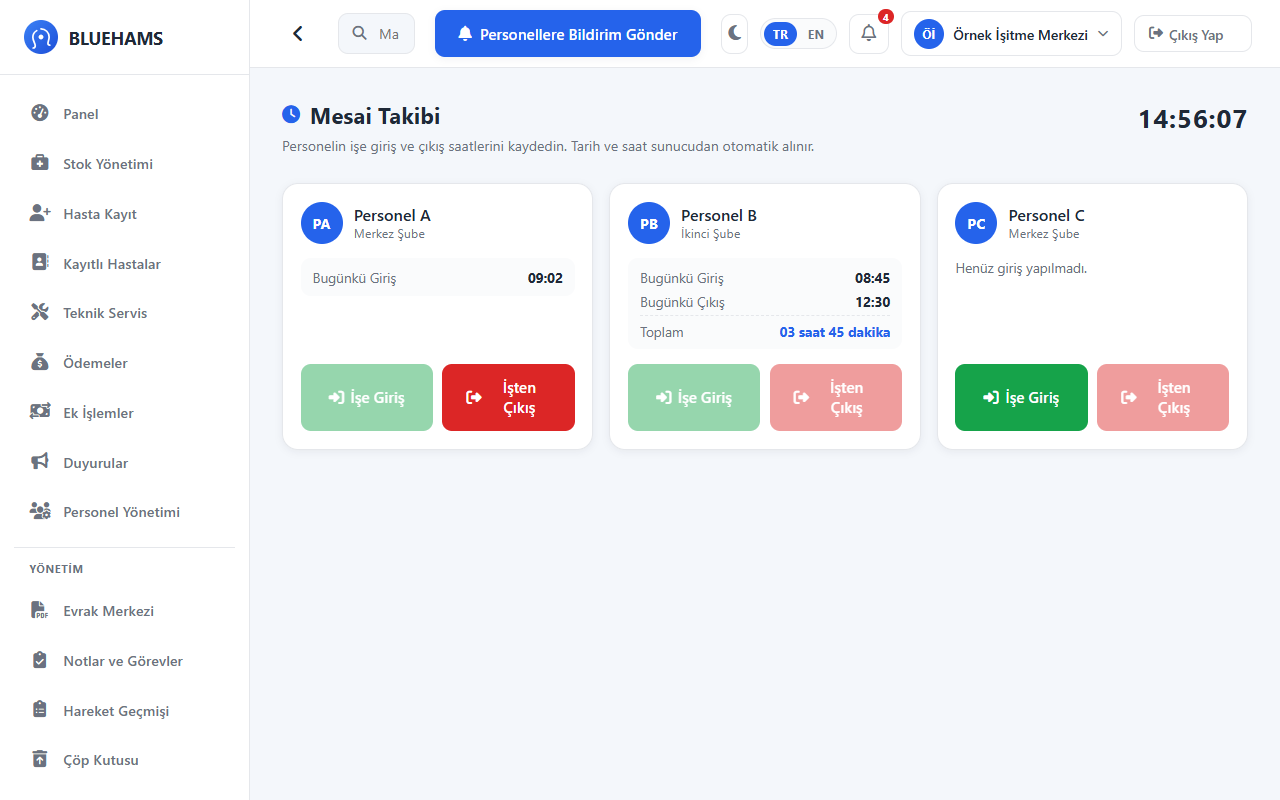
Data created in one module flows automatically to the related modules; you never enter the same information twice.
Instead of carrying data between spreadsheets, WhatsApp and the service ledger, enter the record once.
The same patient record stays a single record across sales, stock, service and collections.
Explore the SystemSet the two values to match your clinic and see your scale, plus the plan that fits it.
This is an estimate calculated only from the values you enter; the real outcome depends on how your clinic works.
Every module is included in every plan. Plans differ only in branch, staff and storage limits — you are never charged per patient.
Prices exclude VAT. Annual billing includes two months free.
Yes. Send us your Excel files or an export from your current program and the records are migrated for you during setup. There is no extra charge.
Branch count is unlimited on the Professional and Enterprise plans. Each user only sees the patient and stock data of the branch they are authorised for, while head office monitors every branch from one panel.
Data is stored encrypted on servers located in Türkiye. Every access is logged per user and can be exported for your data protection obligations.
Yes. Every device enters stock with its serial number and is linked to the patient file when sold. The warranty end date and service history appear on the same screen.
Monthly plans have no commitment; you can stop at the end of any month. When you cancel you can export your data as Excel and PDF.
Leave your details and we will call you and walk through the system using your own workflow. No commitment.
We will call you shortly. Thank you for your interest.